Catalogue · Ref. 06 / 08
1Home Server for Loxone: voice and Matter on a Miniserver
This server sits alongside a Loxone Miniserver, reads the structure of the house as programmed in Loxone Config, and republishes it to Apple Home, Google Home, Alexa and Matter. Your programming is untouched.
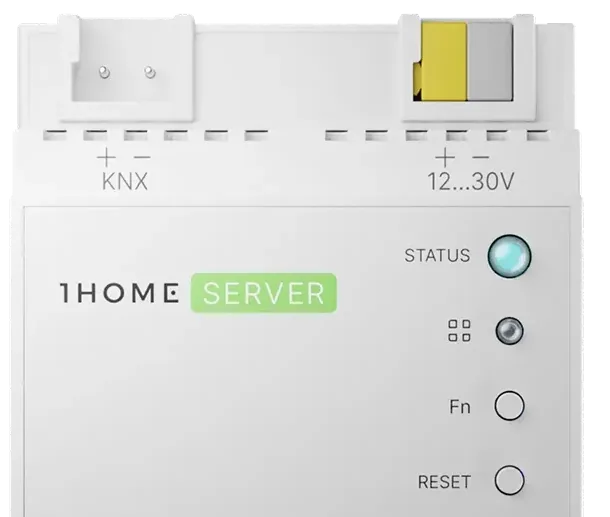
Loxone is a coherent, well-built system, but a closed one: stepping outside its own app requires workarounds few owners want to maintain. This server exists to avoid those workarounds.
The distinction matters because the alternatives are real but fragile. Scripts, community bridges and self-hosted glue all work until an update, a certificate or a holiday breaks them — and the person who has to repair them is rarely the person who built them.
01Miniserver compatibility
This is the first check, before any price discussion: Miniserver generations do not expose the same interfaces, and the software version matters.
| Point to check | Status |
|---|---|
| Miniserver generation | To verify — ask us |
| Loxone software version | To verify — ask us |
| Network access and service credentials | Prerequisite |
| Clean, properly named Loxone configuration | Prerequisite |
02What is exposed to assistants
Not every Loxone object has an equivalent at Apple, Google or in the Matter specification. Translation works well for common categories, less so for composite function blocks.
- Well translated: switched and dimmed lighting, blinds and shutters, switched sockets, temperature setpoints, simple scenes.
- Translated in simplified form: multi-parameter control loops, complex Loxone function blocks.
- Not translated: anything with no matching device type on the target platform.
03Step-by-step commissioning
- Put the server on the local network and pair it with the Miniserver.
- Import the structure: rooms, categories, controllable objects.
- Filter — expose only what makes sense by voice or in a third-party app.
- Rename in everyday language, room by room.
- Pair the target platform or platforms, then run acceptance.
Allow half a day for a house of average size, more if the Loxone configuration has to be tidied up first — that is the item that moves the quote, not the hardware.
04Known limits, price and availability
- A major Loxone firmware update can change interfaces: plan a verification after each version step.
- Voice control depends on an internet connection and on the assistant's service.
- Automation stays in Loxone Config: if the Miniserver stops, the house stops.
Public price on the pricing page, warranty and after-sales on the support page.
05What stays in the Miniserver, and what moves out
Adding this server does not move the intelligence of the installation. It is worth being explicit about that, because the fear of losing control of a working system is the most common objection we hear.
- Logic, automations and scheduling stay in the Miniserver. Nothing is transferred, nothing is duplicated.
- Wall switches and local automations keep working exactly as before, including with no internet connection.
- What the server adds is a translation layer: the objects of the installation become device types the assistants and Matter understand.
- Removing the server later returns the installation to its previous behaviour — it is an addition, not a migration.
The practical consequence is that a badly configured Miniserver stays badly configured. This server exposes what exists; it does not repair it. Where the naming of objects is inconsistent, that inconsistency will show up in the app — which is why the useful preparation is a clean structure, not a bigger gateway.
Frequently asked questions
Is Loxone Cloud required for remote access?
Loxone remote access and 1Home remote access are two distinct paths. The conditions of each must be checked against both manufacturers' documentation before ordering.
Can I keep using the Loxone app?
Yes, nothing is exclusive. The new interfaces are added, they do not replace the existing one.